Vector PC-Duo Manual de usuario Pagina 39
- Pagina / 166
- Tabla de contenidos
- MARCADORES

- PC-Duo Gateway Guide 1
- Table of Contents 3
- PC-Duo overview 6
- What’s New with PC-Duo 11.6 7
- PC-Duo solutions 9
- PC-Duo applications 10
- PC-Duo Master 11
- PC-Duo Gateway 11
- PC-Duo Deployment Tool 12
- PC-Duo technologies 13
- PC-Duo services 14
- PC-Duo connection types 15
- Peer-to-peer connections 17
- Gateway-managed connections 18
- Root Host for TS sessions 20
- Transient Hosts 20
- Recording TS Hosts 20
- VNC connections 21
- PC-Duo security features 22
- Identity Authentication 23
- Endpoint Authentication 24
- Authorization 25
- Auditing 25
- Encryption 26
- PC-Duo networking features 27
- Computer text 28
- Screen interaction 28
- Variable text 28
- Technical support options 29
- Gateway Installation 31
- Requirements 32
- Network requirements 33
- Configuration options 34
- Installation notes 35
- Gateway service accounts 36
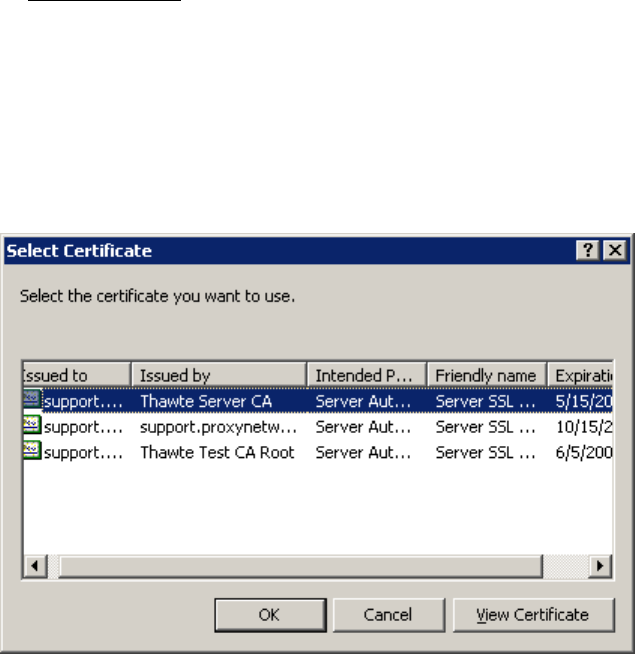
- SSL certificates 38
- View Certificate 41
- Install Certificate 43
- Licensing 45
- Upgrade a license key 46
- Gateway Operation 49
- Start the Gateway 50
- Configure the Gateway 53
- Send Wake-on-LAN Signal 55
- Menu options 56
- Gateway Configuration 59
- Add a Gateway 60
- Connect/Disconnect 61
- About the product 61
- Export List 61
- Connection tab 63
- Connect As tab 64
- Gateway Server Settings 66
- General tab 67
- Auditing tab 69
- Protocols tab 75
- Encryption tab 78
- Schedule tab 79
- Recording tab 82
- Bandwidth throttling 84
- Description string 85
- Licenses tab 86
- Network tab 88
- Poll for Hosts 90
- Remove a polling schedule 91
- Edit a polling schedule 91
- Poll Now 95
- Gateway Security 96
- Data Services Security 97
- Settings Security 101
- Edit. The Permission Entry 102
- Operation Security 105
- Managed Hosts 108
- All Hosts group 109
- Manage groups 110
- Remove a group 111
- Rename a group 111
- General group properties 112
- Group security 113
- Host security for a group 115
- Session security for a group 119
- Hosts in a group 121
- Manage Hosts 122
- Remove a Host from a group 123
- General properties 123
- Host security 124
- Effective security 127
- View. The 128
- Session security 131
- Sessions 134
- Groups tab on the 136
- Terminal Services group 137
- System group 138
- Gateway Server Performance 140
- Unmanaged Hosts 141
- Active Status 142
- Active Gateway Data Services 143
- Active Hosts 144
- Active Recordings 145
- Reverse Connections 145
- Pending Host Status Updates 146
- About the Gateway 147
- Gateway Messages 149
Relacionado con productos y manuales para Servidores Vector PC-Duo
 (143 paginas)
(161 paginas)
(13 paginas)
(77 paginas)
(147 paginas)
(250 paginas)
(143 paginas)
(161 paginas)
(13 paginas)
(77 paginas)
(147 paginas)
(250 paginas)
© 2020, manymanuals.es. Todos los derechos reservados | 0.034 s |
 Manymanuals.com
 Manymanuals.de
 Manymanuals.fr
 Manymanuals.it
 Manymanuals.pl
 Manymanuals.cz
 Manymanuals.es
 Manymanuals-pt.com
Comentarios a estos manuales