Vector PC-Duo Información técnica Pagina 61
- Pagina / 143
- Tabla de contenidos
- MARCADORES

- PC-Duo Host Guide 1
- Table of Contents 2
- PC-Duo overview 6
- What’s New in PC-Duo 12.0 7
- What‟s New in PC-Duo 11.3 8
- PC-Duo solutions 9
- PC-Duo applications 10
- PC-Duo Master 11
- PC-Duo Gateway 12
- PC-Duo Web Console 13
- PC-Duo Deployment Tool 14
- PC-Duo technologies 15
- PC-Duo services 16
- PC-Duo connection types 18
- Peer-to-peer connections 19
- Gateway-managed connections 20
- Root Host for TS sessions 22
- Transient Hosts 22
- Recording TS Hosts 22
- Limitations of TS Hosts 22
- VNC connections 23
- PC-Duo security features 24
- Identity Authentication 25
- Endpoint Authentication 26
- Authorization 27
- Auditing 27
- Encryption 27
- Order of precedence 28
- PC-Duo networking features 29
- Computer text 30
- Screen interaction 30
- Variable text 30
- Technical support options 31
- Host Installation 33
- Requirements 34
- Installation requirements 35
- Network requirements 35
- Installation notes 36
- Generate unique HostIDs 37
- HostPrep command line syntax 37
- Remove duplicate Host IDs 38
- Requirements for RmHostID 39
- Configure security settings 40
- Licensing 42
- Upgrade a license key 43
- Host Operation 45
- Host Tray Icon 47
- Host Context Menu 48
- Active Users List 49
- Popup Toast Notification 51
- Host Control Panel 52
- Status tab 53
- <none> 54
- General tab 55
- Security tab 57
- Permissions 58
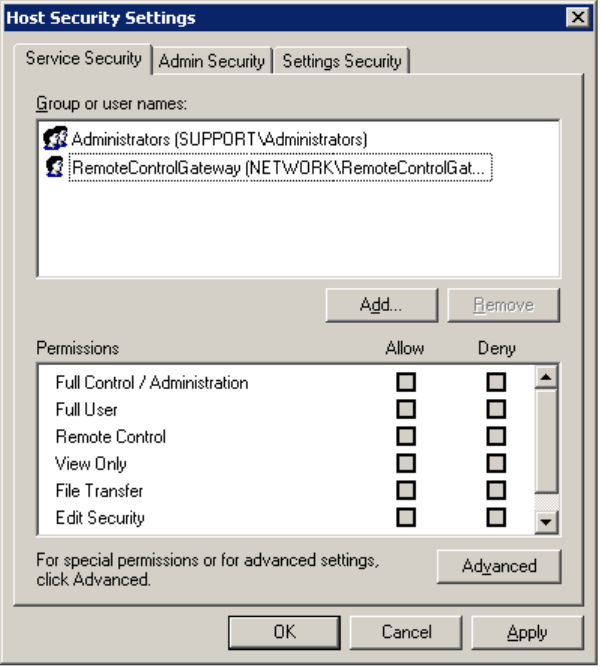
- Service Security tab 60
- Edit. The Permission Entry 62
- Admin Security tab 64
- Settings Security tab 68
- End-to-end authentication 72
- Options tab 74
- Access tab 77
- Connection permission 78
- Permission for connection 79
- Effects tab 80
- Protocols tab 82
- Select ciphers 83
- TCP/IP address restrictions 84
- Gateways tab 86
- Manage Gateway order 87
- Add Gateway 87
- Edit Gateway 89
- Remove Gateway 89
- Move Up 90
- Move Down 90
- Details 90
- Resend Status 90
- View Error 90
- User-mode Screen Capture 92
- Bandwidth throttling 92
- Description string 93
- Tag Security Considerations 96
- About tab 97
- Add a license key 98
- Terminal Services tab 100
- Set Users 101
- Citrix XenApp support 101
- Screen tab 105
- Tags tab 105
- Remote Printing 106
- Restart in Safe Mode 107
- Host Audit Log 108
- Command Line Configuration 109
- PHSETUP Command line syntax 111
- PHSETUP Syntax examples 112
- PHSETUP Access parameters 113
- PHSETUP Control parameters 115
- “u=host_key" 116
- “w={host_key}" 116
- mode:lockdown, which is 117
- PHSETUP Effects parameters 118
- PHSETUP Gateways parameters 120
- PHSETUP General parameters 122
- PHSETUP License parameter 124
- PHSETUP Options parameters 125
- PHSETUP Protocol parameters 126
- PHSETUP Screen parameters 128
- PHSETUP Security parameters 129
- PHSETUP Tag parameters 130
- MSIEXEC options 135
- Wildcard; Log all 136
- Wildcard; Log all 136
- SETUP.EXE options 137
- MSIEXEC variables 138
- Examples 140
- Lock-down settings 142
- Control Panel > 143
Relacionado con productos y manuales para Servidores Vector PC-Duo
 (161 paginas)
(13 paginas)
(77 paginas)
(147 paginas)
(250 paginas)
(161 paginas)
(13 paginas)
(77 paginas)
(147 paginas)
(250 paginas)
© 2020, manymanuals.es. Todos los derechos reservados | 0.034 s |
 Manymanuals.com
 Manymanuals.de
 Manymanuals.fr
 Manymanuals.it
 Manymanuals.pl
 Manymanuals.cz
 Manymanuals.es
 Manymanuals-pt.com
Comentarios a estos manuales