Vector PC-Duo Guía de instalación Pagina 126
- Pagina / 161
- Tabla de contenidos
- MARCADORES

- PC-Duo Gateway Server Guide 1
- Table of Contents 2
- PC-Duo overview 5
- What’s New in PC-Duo 12.1 6
- What’s New in PC-Duo 12.0 6
- What’s New in PC-Duo 11.3 7
- PC-Duo solutions 9
- PC-Duo applications 11
- PC-Duo Host 12
- PC-Duo VDI Host 14
- PC-Duo Master 15
- PC-Duo Gateway 16
- PC-Duo Web Console 17
- PC-Duo Web Desktop 18
- PC-Duo Deployment Tool 19
- PC-Duo technologies 20
- PC-Duo services 21
- PC-Duo connection types 22
- Gateway-managed connections 23
- Root Host for TS sessions 25
- Transient Hosts 25
- VDI connections 26
- VNC connections 27
- PC-Duo security features 28
- Identity Authentication 29
- Endpoint Authentication 30
- Authorization 31
- Auditing 31
- Encryption 31
- Order of precedence 32
- PC-Duo networking features 33
- Technical support options 36
- Gateway Installation 37
- Requirements 38
- Network requirements 39
- Configuration options 40
- Installation notes 41
- Gateway service accounts 42
- SSL certificates 44
- View Certificate 47
- Install Certificate 48
- Licensing 50
- Upgrade a license key 51
- Gateway Operation 52
- Start the Gateway 53
- Configure the Gateway 56
- Gateway Configuration 58
- Add a Gateway 59
- Connection tab 61
- Connect As tab 62
- Gateway Server Settings 64
- General tab 65
- Auditing tab 68
- Protocols tab 73
- Address Bindings 74
- Address Restrictions 75
- SSL Certificate 76
- Encryption tab 77
- Schedule tab 78
- Recording tab 81
- Description string 84
- Licenses tab 85
- Network tab 88
- Network tab window: 89
- Grouping tab 90
- Polling for Hosts 94
- Edit a polling schedule 95
- Remove a polling schedule 95
- Poll Now 98
- Gateway Security 99
- Settings Security 101
- Operation Security 104
- Managed Hosts 108
- Menu options 109
- All Hosts group 110
- Manage groups 111
- Remove a group 112
- Add a group 112
- Rename a group 113
- General group properties 113
- Group security 113
- Host security for a group 116
- Session security for a group 119
- Manage Hosts 122
- Remove a Host from a group 123
- General properties 124
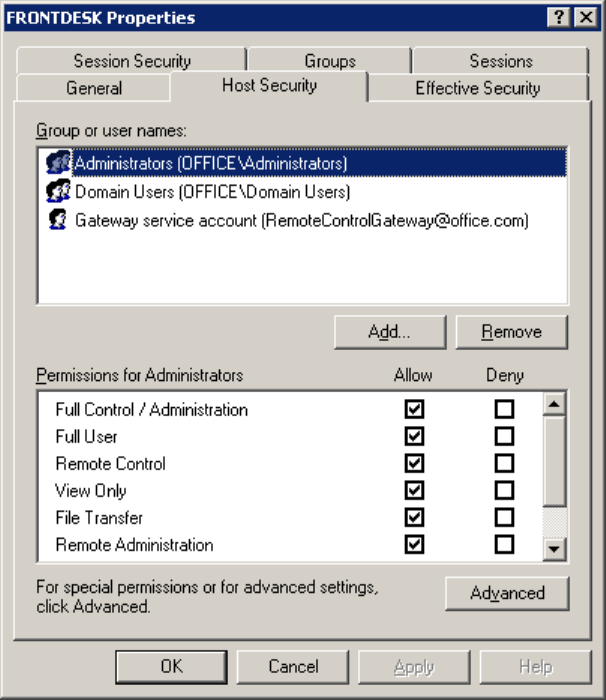
- Host security 125
- Effective security 128
- View. The 129
- Session security 132
- Sessions 135
- Groups tab on the 137
- Terminal Services group 138
- Transient VDI Hosts group 138
- System group 139
- Master: 140
- Gateway Server Performance 141
- Unmanaged Hosts 143
- Active Status 144
- Active Hosts 145
- Active Recordings 145
- Reverse Connections 145
- Pending Host Status Updates 145
- Help 146
- About PC-Duo Gateway 146
- Gateway Event Messages 147
Relacionado con productos y manuales para Servidores Vector PC-Duo
 (13 paginas)
(77 paginas)
(147 paginas)
(250 paginas)
(13 paginas)
(77 paginas)
(147 paginas)
(250 paginas)
© 2020, manymanuals.es. Todos los derechos reservados | 0.032 s |
 Manymanuals.com
 Manymanuals.de
 Manymanuals.fr
 Manymanuals.it
 Manymanuals.pl
 Manymanuals.cz
 Manymanuals.es
 Manymanuals-pt.com
Comentarios a estos manuales